RAM Structural System 提供的一款可提高钢结构重力分析和设计生产效率的工具。该软件为您提供了完整的解决方案,用于钢结构和混凝土建筑、地基甚至单个结构组件的分析、设计、制图和文档编制;所有这些都符合您当地的建筑规范。RAM Structural System 2025包括几个强大的增强功能。值得注意的增强功能包括Simpson强连接屈服连接支撑连接,用于移动线荷载和移动点荷载的命令,改进的捕捉点行为,增强的网格属性警告,与ADINA的互操作性:导出ADINA输入文件,更新了DuraFuse地震力矩连接表,包括更大范围的尺寸和钢种.

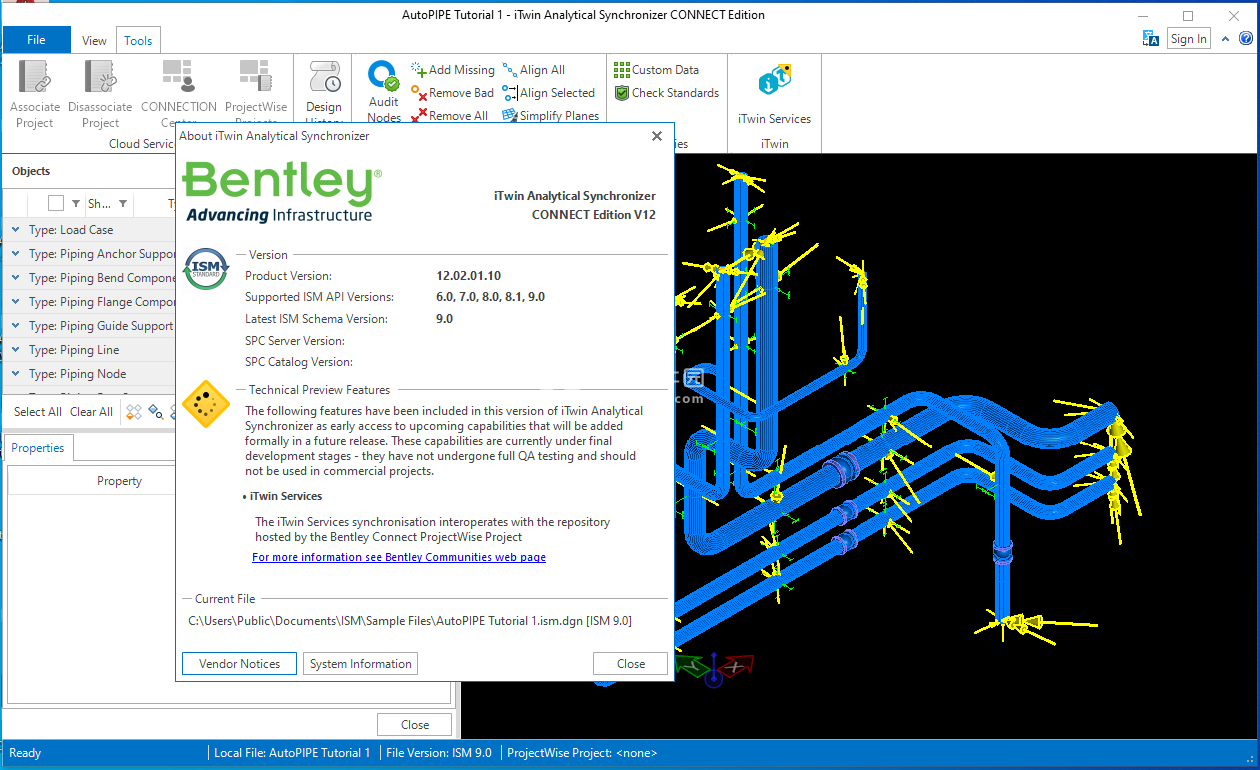
RAM结构系统是功能强大且用途广泛的专用软件,用于建筑结构的分析和设计。它可用于商业、机构和工业建筑的设计和分析。RAM结构系统包括以下模块:RAM管理器,RAM建模器,RAM钢梁和柱,RAM框架,RAM混凝土和RAM基础。
Bentley Systems, Incorporated, the leading company dedicated to providing comprehensive software solutions for sustaining infrastructure, announced the release of RAM Structural System version 14.06.01 – is the only fully integrated engineering software with complete building analysis, design, and drafting for BOTH steel and concrete structures.
RAM结构系统是功能强大且用途广泛的专用软件,用于建筑结构的分析和设计。它可用于商业、机构和工业建筑的设计和分析。RAM结构系统包括以下模块:RAM管理器,RAM建模器,RAM钢梁和柱,RAM框架,RAM混凝土和RAM基础。
Bentley Systems, Incorporated, the leading company dedicated to providing comprehensive software solutions for sustaining infrastructure, announced the release of RAM Structural System version 14.06.01 – is the only fully integrated engineering software with complete building analysis, design, and drafting for BOTH steel and concrete structures.
The RAM Structural System is a specialized engineering software tool for the complete analysis, design, and drafting of both steel and concrete buildings. It optimizes workflows through the creation of a single model by providing specialized design functions for buildings and by providing thorough documentation.
- RAM Structural System allows for the analysis and design of a building using a single model. The entire structure can be modeled, including decks, slabs, slab edges and openings, beams, columns, walls, braces, spread and continuous footings, and pile caps. This full structural model increases designer confidence and creates an efficient environment when dealing with changes.
- The RAM Structural System increases productivity by performing the tedious and time-consuming functions specific to the design of a building such as calculation of live load reductions and lateral load calculations for wind and seismic. In addition, designs are optimized for both concrete and steel.
- Your competitive advantage is realized with the thorough documentation. RAM Structural System automatically provides steel material takeoffs and detailed and summary reports of design calculations and drawings. And for BIM, RAM Structural System offers bidirectional integration with CADstudio and Bentley’s Structural Modeler, Structural Documentation Center, and Autodesk’s Revit Structure.
- The RAM Structural System increases productivity by performing the tedious and time-consuming functions specific to the design of a building such as calculation of live load reductions and lateral load calculations for wind and seismic. In addition, designs are optimized for both concrete and steel.
- Your competitive advantage is realized with the thorough documentation. RAM Structural System automatically provides steel material takeoffs and detailed and summary reports of design calculations and drawings. And for BIM, RAM Structural System offers bidirectional integration with CADstudio and Bentley’s Structural Modeler, Structural Documentation Center, and Autodesk’s Revit Structure.
About Bentley Systems, Incorporated

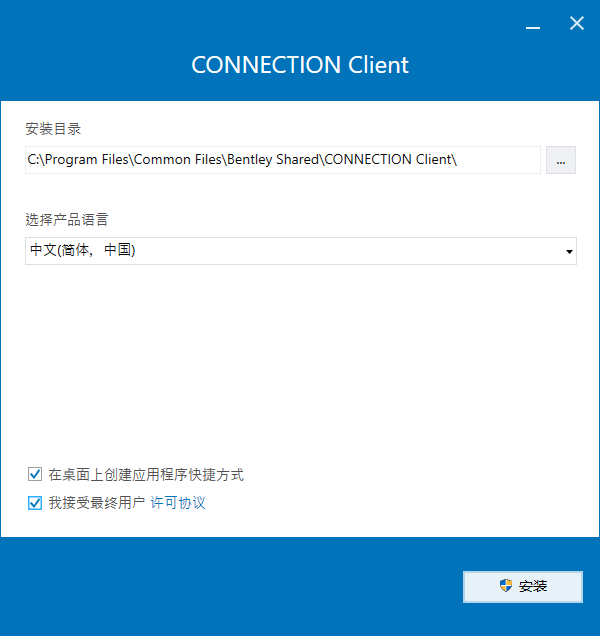
2、离线,安装程序,勾选接受协议选项
3、设置安装类型,典型安装、自定义安装和全部安装
4、安装位置
5、安装完成,检查CONNECTION Client的版本。如果它更新到11.00.02.20,请卸载它,重新启动电脑,然后安装\patcher\Setup_CONNECTIONClientx64_11.00.02.20.exe程序
新功能
结构产品开发团队很高兴地宣布推出 RAM Structural System 2025。该软件为您提供了完整的解决方案,用于钢结构和混凝土建筑、地基甚至单个结构组件的分析、设计、制图和文档编制;所有这些都符合您当地的建筑规范。
RAM Structural System 2025 版本说明
新增功能和增强功能
多个报表
在所有模块中,现在可以一次查看多个报表,例如,可以更轻松地并排比较多个报表中的信息。
复合托梁设计
钢托梁现在可以使用钢托梁研究所的设计方法将其设计为复合构件。对于复合托梁,可以自动应用自重。
RAM 基础模块:更新的
RAM 基础现在已整合到 RAM 应用程序容器中,使其成为类似于 RAM 框架或 RAM Concrete 的 3D 模块,提供更好的用户界面和模块之间的一致性。
添加了 ADINA 导出选项
选项,以控制 ADINA 中使用的分析方法。现在可以将模型配置为使用导入的时间 - 加速度谱执行线性静态分析、特征值分析或时程分析。
RAM Structural System 是一款功能强大且用途广泛的专用软件,用于建筑结构的分析和设计。它可用于商业、机构和工业建筑的设计和分析。RAM 结构系统包括以下模块:RAM 管理器、RAM 建模器、RAM 钢梁和柱、RAM 框架、RAM 混凝土和 RAM 基础。
安装激活教程
1、在本站下载并解压,如图所示2、离线,安装程序,勾选接受协议选项
3、设置安装类型,典型安装、自定义安装和全部安装
4、安装位置
5、安装完成,检查CONNECTION Client的版本。如果它更新到11.00.02.20,请卸载它,重新启动电脑,然后安装\patcher\Setup_CONNECTIONClientx64_11.00.02.20.exe程序
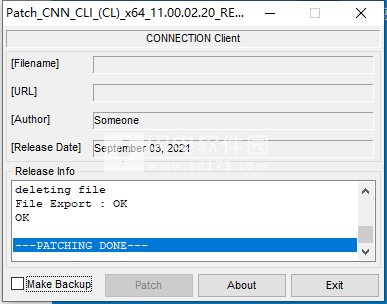
6、管理员身份应用patch补丁进行修补破解。
闪电小编说明:
自动化了计算支流荷载、活载减少、重力构件选择、框架分析、漂移控制、框架构件和接缝代码检查、特殊抗震规定构件和接缝检查以及基础设计的过程。通过自动化这些繁琐而耗时的过程,工程师可以快速获得准确的设计。可以在短时间内检查不同的框架配置,从而为工程师节省大量时间,并为客户提供更经济的设计。与CAD软件的接口允许快速生成框架平面图,节省了大量的绘图时间,并减少了与手动信息传输相关的错误。
软件无法下载?不知道解压密码?微信关注订阅号"闪电下载"获取
本帖长期更新最新版 请收藏下载!版权声明:本站提的序列号、注册码、注册机、破解补丁等均来自互联网,仅供学习交流之用,请在下载后24小时内删除。